1. Getting Started
Install Go
To install Go follow the official installation instructions at https://go.dev/doc/install
. After the installation you can verify if everything works by running go version in a terminal.
Install Editor
Of course you need an editor to edit the Go source files. There are no special requirements for the editor so you can use whatever editor you are familiar with. However, among Go developers certain editors are more popular than others and hence there is more tooling and plugins available for them. According to the Go Developer Survey 2020 the two most popular editors are:
- VS Code (41%)
- GoLand / IntelliJ (35%)
For this course it doesn’t matter which editor you use. If you are not sure which editor to choose, we recommend you use VS Code. It is available for free and there is an official Go extension.
Install VS Code (optional)
If you don’t use VS Code you can skip this section. This section will briefly describe how to install VS Code and the recommended extension for Go development:
- Download and Install VS Code from https://code.visualstudio.com/
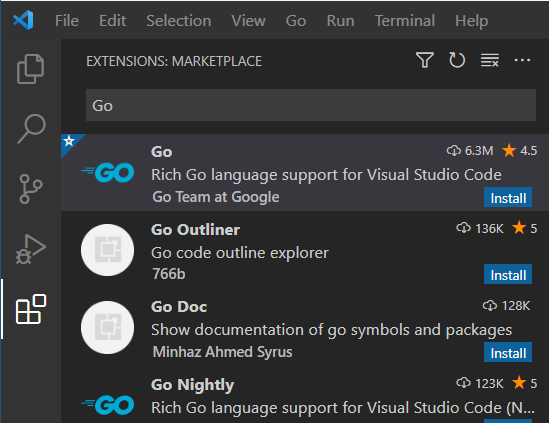
- Start VS Code and open the extensions menu on the left side
- Search for the Go extension and install it
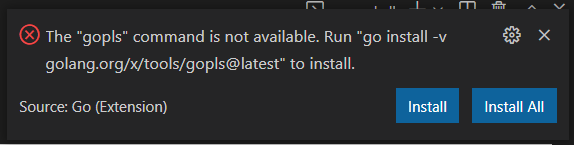
The first time you open a Go file the Go plugin will show a warning to you that certain tools are missing. Click on “Install All” to install all missing tools. This will take some time.
Auto Save
We recommend setting the “Auto Save” setting toonFocusChanged. This allows you to modify code and then run it, without manually saving.Hello World
Now we want to build our first Go program which prints Hello, World!.
To create a new Go project we create a new directory and initialize a Go module in it
mkdir hello
cd hello
go mod init hello
Then we create a new file main.go and put the following code in it:
| |
This file contains the main function which is the entrypoint for our application. We will learn about packages and the project structure in general later in this course.
Open a terminal and make sure you are in the hello/ directory. Execute the following commands to build and run your program:
go build

# Linux / Mac
./hello

# Windows
.\hello.exe